How to stop overselling on Shopee, Lazada and TikTok Shop
Overselling has one cause. Each marketplace holds its own copy of your stock count, and the copies drift apart. A buyer on Lazada purchases the last unit while Shopee still shows three available, because Shopee has not heard about the sale yet. You cancel the order, take the penalty, and your seller rating absorbs the damage.
The fix is structural, not behavioural. You will not solve it by checking more often or by keeping a spreadsheet open on a second monitor. You solve it by making one count the truth and having every channel read from it.
Why marketplace stock counts drift
Each platform updates its own count the moment a sale lands on it. None of them tells the others. If you sell a SKU on three channels, you are running three counts that only agree at the moment you last synced them by hand.
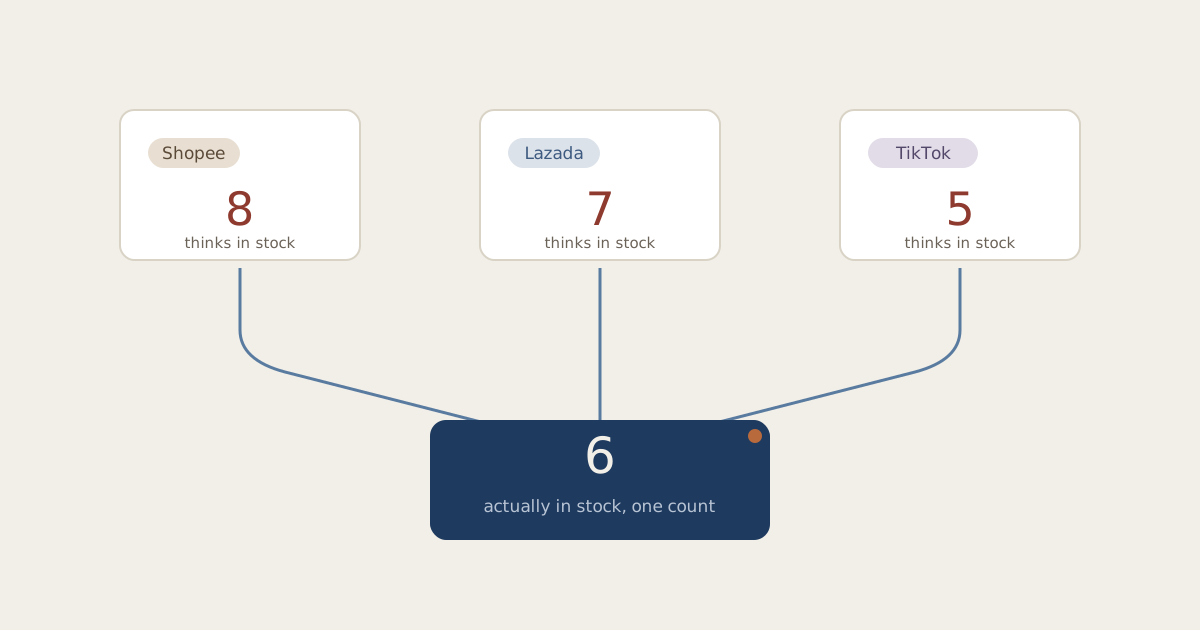
The gap between syncs is where overselling lives. A seller updating stock manually twice a day leaves a window of up to 12 hours. During a payday campaign or a live session, twelve hours is hundreds of orders.
Three situations widen the gap further:
- Campaign days. 9.9, 10.10, 11.11 and 12.12 compress a week of orders into hours. Manual syncing cannot keep up, and these are precisely the days when cancellation penalties and ratings damage cost the most.
- Live selling. A TikTok Shop live session can clear a SKU in minutes. If your other channels find out tomorrow, they spend tonight selling stock you no longer have.
- Returns and cancellations. Stock that comes back is the count nobody updates. Units sit in a returns tub, invisible to every channel, and you under-sell instead of over-selling. The error has the opposite sign, but it is the same disease.
The method: one count, every channel reads from it
The structure that works is simple to state. Hold a single stock count per SKU, in one place. When any channel sells a unit, subtract it from that count. Push the new number to every other channel straight away, without a person in the loop.
You can assemble this yourself with spreadsheets and discipline up to roughly 50 SKUs on two channels. Past that, the arithmetic does not get harder, but the volume of small updates does, and a person doing forty stock edits a day will mistype one of them. This is the point at which most sellers move the work into software built for it.
Whichever way you run it, the test of the setup is the same:
- A sale on any channel updates every other channel without you touching anything.
- A cancellation or return puts the unit back into the shared count, not into a side pile.
- You can answer "how many do we actually have" with one number from one screen.
Set a low stock alert before you think you need one
One count stops the drift. It does not stop you running a popular SKU to zero across every channel at once, which is overselling's quieter cousin: the stockout you did not see coming.
Set an alert threshold per SKU at roughly the units you sell during one replenishment cycle. If restocking takes a week and the SKU moves 30 units a week, alert at 30, not at 5. An alert at five tells you about a problem you can no longer fix in time.
What to do when you oversell anyway
It still happens, usually on the SKU you did not expect to move. The order of operations matters:
1. Cancel on the channel with the lightest penalty first
If you must cancel at all, check each marketplace's cancellation policy before choosing where. The penalties differ, and so does the ratings damage.
2. Check the returns shelf before cancelling
The missing unit is often sitting in a tub, refunded on one channel and never put back on sale. Five minutes of looking can save a cancellation.
3. Find the cause
One oversell is bad luck. Two on the same SKU in a month means a channel is not reading from your shared count, and that is a setup fault you can fix today.
Where Zeemarq fits
Zeemarq holds the single count and does the pushing. Connect Shopee, Lazada, TikTok Shop, Amazon, Shopify or WooCommerce by signing in and approving the connection, and from then on a sale anywhere updates everywhere, with 99.9% sync accuracy across connected channels. Returns go back into the same count. Low stock alerts watch every SKU.
The free plan covers your first channels and there is no card to start. If you have been running the spreadsheet method, the switch takes an afternoon, and the afternoon pays for itself the first campaign day it survives. See what each channel does.